Because of its longevity, the Howard compass was produced in large quantities—and continued to be produced until recently. It is therefore relatively easy to find at garage sales or flea markets. I found one at Bricasciences, the annual scientific instruments fair.
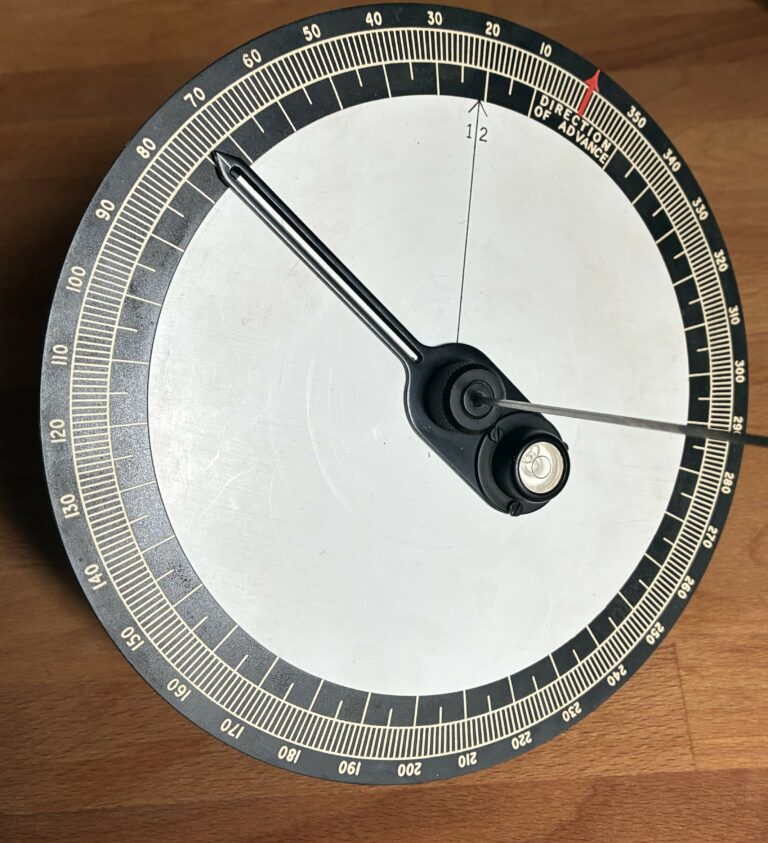
It consists of a disk graduated from 0 to 360 degrees counterclockwise. The 0 (or 360) is marked with a red arrow and the words: “Direction of advance.”
In the center, a gnomon stands perpendicular to the disk, and a spirit level ensures that the disk is perfectly flat.
On the instrument, a white cardboard disk marked with an arrow and a “12” is ready to have the hour lines drawn on it.
Finally, a slotted rotating arrow is used to draw the hour lines, secure the disk, and serve as a reference point.
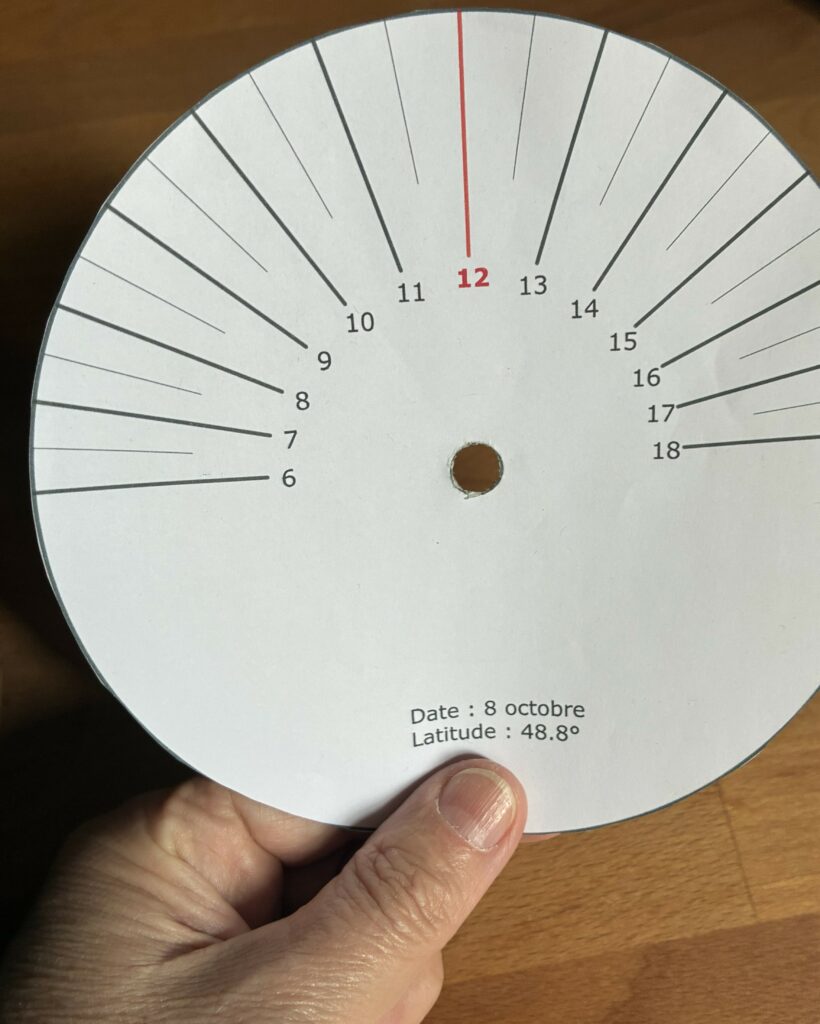
Shown here: the disc I calculated, printed, and cut out for the latitude of Paris on the given date. (See below for the Geogebra application I created for this purpose.)
It shows the direction of the shadow throughout the day, assuming the 12 is oriented toward the north.
At noon, with the Sun in the south, the shadow will point north. On the left are the morning hours; on the right, the afternoon hours.
The complete instrument: the paper is mounted on the instrument.
To use the instrument, rotate the paper disc so that line 12 (shown here in red) points toward the desired bearing. In this picture, the desired bearing would be north.
Next, rotate the instrument until the gnomon’s shadow aligns with the time. Once this is done, the red arrow labeled “Direction of advance” indicates the direction to follow.
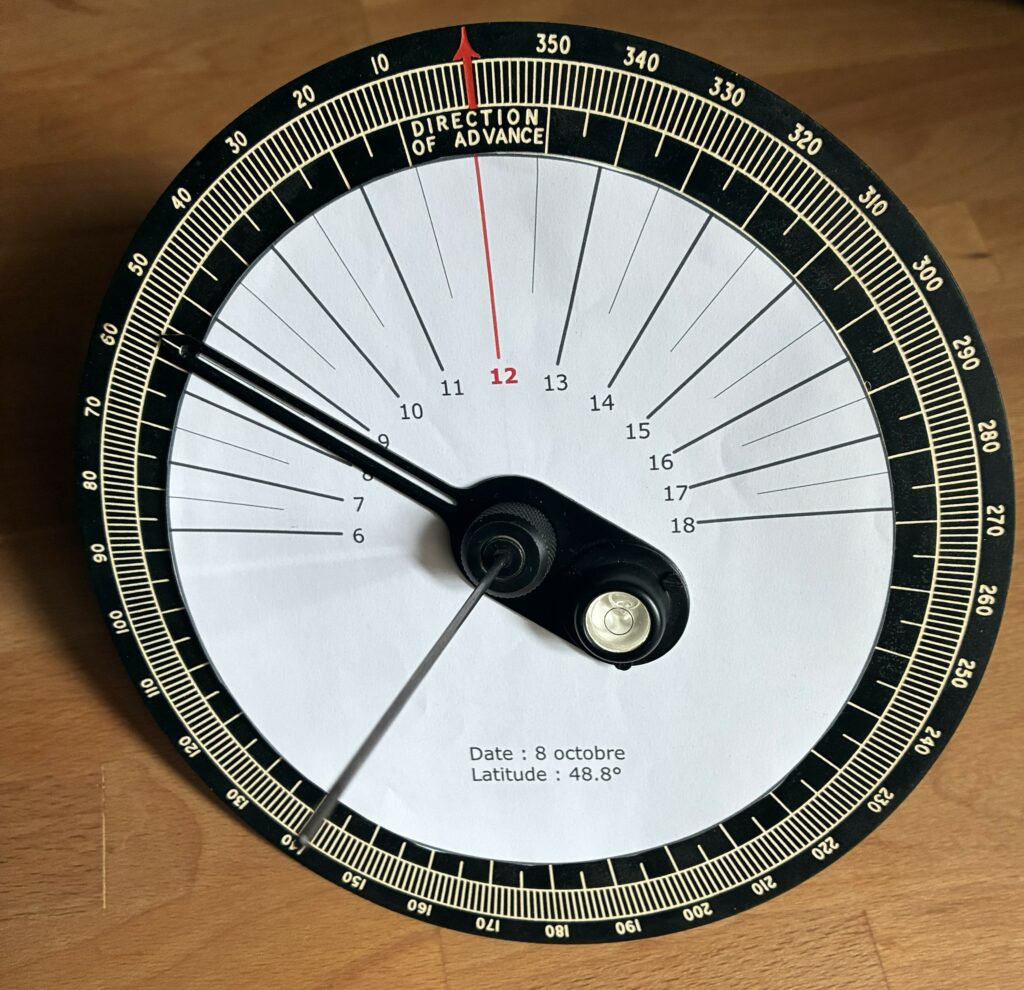
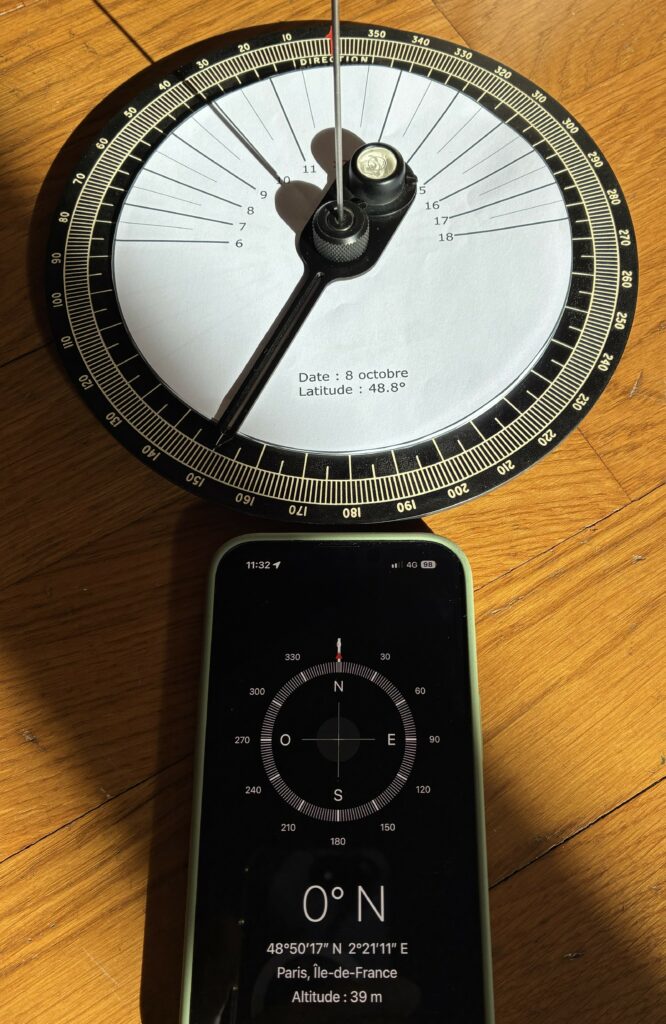
Experiment conducted in Paris on October 8:
The phone’s “Compass” app is set to geographic north (not magnetic). The phone is pointed north (bearing 0°). It is 11:32 a.m. Thanks to the Papophoplon, we know that the difference between solar time and standard time in Paris on that day is 1 hour and 37 minutes. It is therefore 5 minutes to 10 o’clock in solar time.
The disc is set so that the 12 o’clock mark aligns with the red arrow labeled “Direction of advance.” The compass is rotated so that the gnomon’s shadow falls just before 10 o’clock (the solar time in Paris at the moment the photo was taken).
The red arrow, aligned with the gnomon’s axis in the photo, points north.
The compass and the phone agree.
It works!
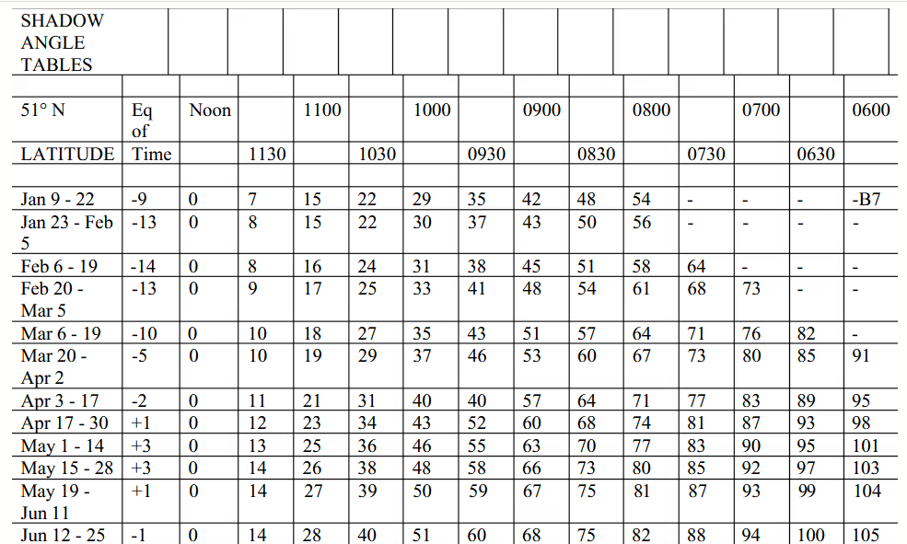
Here is an example of a table used to draw the disk corresponding to a given date and latitude.
Note that the equation for time is provided so that the user can set their watch to solar time. The “Noon” column is set to zero regardless of the date, which proves that the calculations are for use in solar time.
With a computer and a printer, you can generate these in standard time. You can see that this is what was done by zooming in on the photo illustrating the summary.
However, our Geogebra application is in solar time.
Instructions:
- Preparation: Insert the paper disc corresponding to the date and latitude (make the disc yourself if necessary)
- Set the bearing by rotating the paper disc until the noon line points to the bearing
- Note the time
- Align the instrument so that the gnomon’s shadow falls on the hour line corresponding to the time (if it is not a whole number, interpolate).
The Geogebra app below simulates the Howard compass:
Step | Using the Physical Object | Equivalent in the Geogebra app |
1 | Place the appropriate paper disc on the instrument | Choose date and latitude |
2 | Point the paper disc so that it points to the direction to follow | Choose the course to follow |
3 | Record the time | Vary the azimuth of the Sun (the time is calculated) |
4 | Orient the compass so that the shadow of the gnomon falls on the corresponding hour line. | Vary the last slider so that the shadow (in blue) aligns with the corresponding time line. If the time is not a round number, interpolate between two lines. |
=> | The red arrow gives the direction | The red arrow gives the direction |
In Step 1, note how the hour lines (lines that indicate the direction of the shadow) change with the date: some lines disappear in winter because the Sun has not yet risen and there is no shadow.
The app can also be used to create the disks and use them with the actual instrument.
Depending on the selected date and latitude, if the Sun passes to the north, the instrument cannot be used. The app displays a message.